

Release Control is available on the Plus plan. See Billing &
Plans for details.
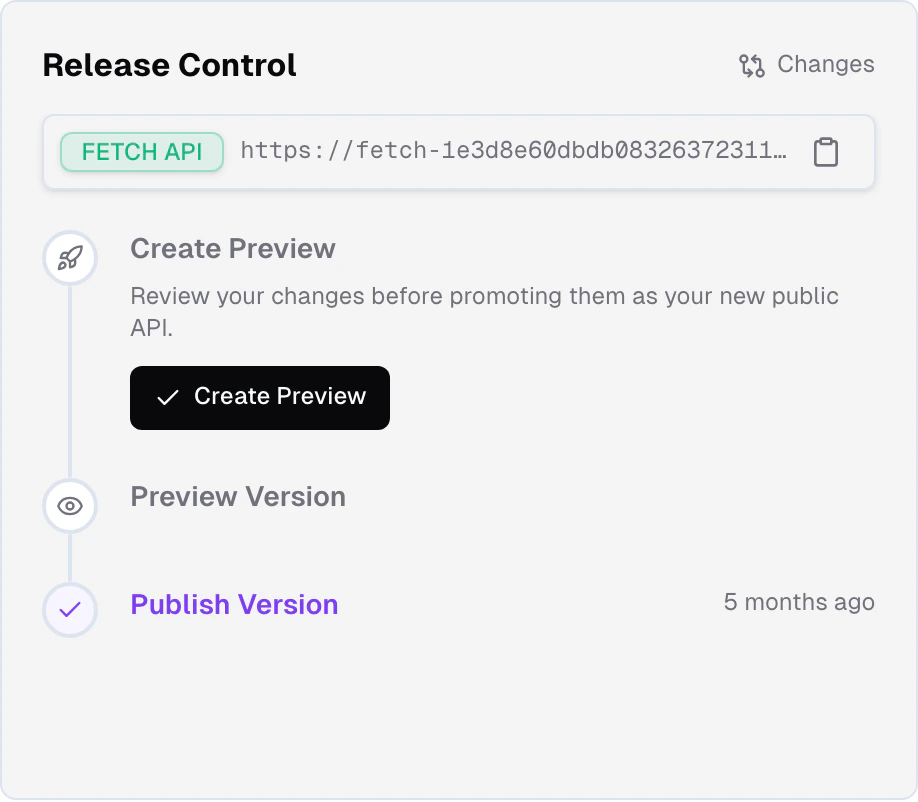
Version stages
Every Frontic project exposes three versions of itself at all times:develop
The live state of your project. Every change you make in the Frontic
app, through Buddy, in Studio, or via MCP lands here immediately.
This is where builders work.
preview
A frozen snapshot of
develop captured at a specific point in time.
Use this to test the full project state end-to-end before it hits
production.public
What your shopping experience talks to. Your customers
always see this version. Changes only reach
public when you
explicitly promote a preview.develop, freeze a preview when you’re ready, and promote to public when you’re satisfied.
Drafts
Preview - drafts are in active development. Specifics may change before general availability. Unlike the rest of Release Control, drafts are currently planned to be exclusive to the Scale plan.
develop offers, Frontic is introducing drafts: short-lived sandboxes cloned from develop that let you prepare and review work without affecting the main project state. Each draft runs with its own version token and a sampled slice of your feed data, so you can iterate end-to-end without disturbing develop for the rest of the team. Multiple drafts can exist in parallel.
Changes in a draft merge back to develop through a review and approval workflow - a draft can’t land on develop until a reviewer approves it, with conflict detection across schemas, sync mappings, and API surface as part of the review. Release Control runs from develop as usual, so an approved draft flows in first, then follows the normal preview → promote path.
The path forward: pairing drafts with Studio jobs and with GitHub PRs, so an isolated sandbox, the frontend code that depends on it, and the release that ships it all move together through one workflow.
How a change flows through
Make changes in develop
You (or Buddy, or the Studio chat, or an MCP agent) change something -
add a field to a storage, rewrite a sync mapping, adjust a listing
filter, add a new page. The change is live in
develop immediately,
and Frontic revalidates any data that depends on it.Developers can build against develop right away. Customers see
nothing.Generate the Client SDK
From your editor, run
frontic generate to
generate a Client SDK targeting the current
develop state. The SDK contains a version token that pins your
frontend to exactly this snapshot of the API.Build the frontend
Use the generated SDK to build whatever UI the change enables - in
Studio, in your editor, or both. Your frontend is now pinned to the
exact API contract it was designed for, regardless of what happens
in
develop afterward.Create a preview
When you’re ready to lock in the stack-side changes for testing,
create a preview. The preview freezes the current
develop state
into a snapshot you can validate without moving targets. Any existing
preview is overwritten.Test against the preview
Regenerate the Client SDK against the preview, run your frontend
against it, go through QA. The frozen snapshot means whatever you
tested is exactly what will ship.
Promote to public
When the preview is validated, promote it. Promotion is instant -
the preview directly replaces
public, and your customers start
seeing the new version immediately. The Client SDK your frontend is
pinned to keeps working through the transition because version tokens
fall back gracefully.Version tokens
A Client SDK generated against a specific version carries a version token in theFS-Version header on every request. Frontic uses the token to route the request to the exact snapshot the SDK was generated for.
That means:
- Your frontend always talks to the API version it was built against
- You can deploy frontend and backend changes independently without breaking compatibility
- When a preview is promoted, the token falls back gracefully to
public- your frontend keeps working through the transition with no code change
public version. No broken requests, no manual cleanup.
Pairs with your codebase
Release Control is designed to map 1:1 to the codebase that consumes your project. Your repo’s deploy pipeline drives the frontend; Release Control drives the stack. Promote a preview, regenerate the Client SDK, deploy - the two pipelines move in lockstep. The forthcoming GitHub integration deepens this: PR tracking, auto-release of new API versions, and release state surfaced on PRs. See Core Concepts for why one project should pair with one codebase.Related
What's in a Release
The complete list of what a release snapshot contains - storages,
syncs, API surface, project settings, and more.
Release Flow
The mechanics: creating previews, promoting to public, version tokens,
and graceful fallback.