> ## Documentation Index
> Fetch the complete documentation index at: https://docs.frontic.com/llms.txt
> Use this file to discover all available pages before exploring further.
# Overview
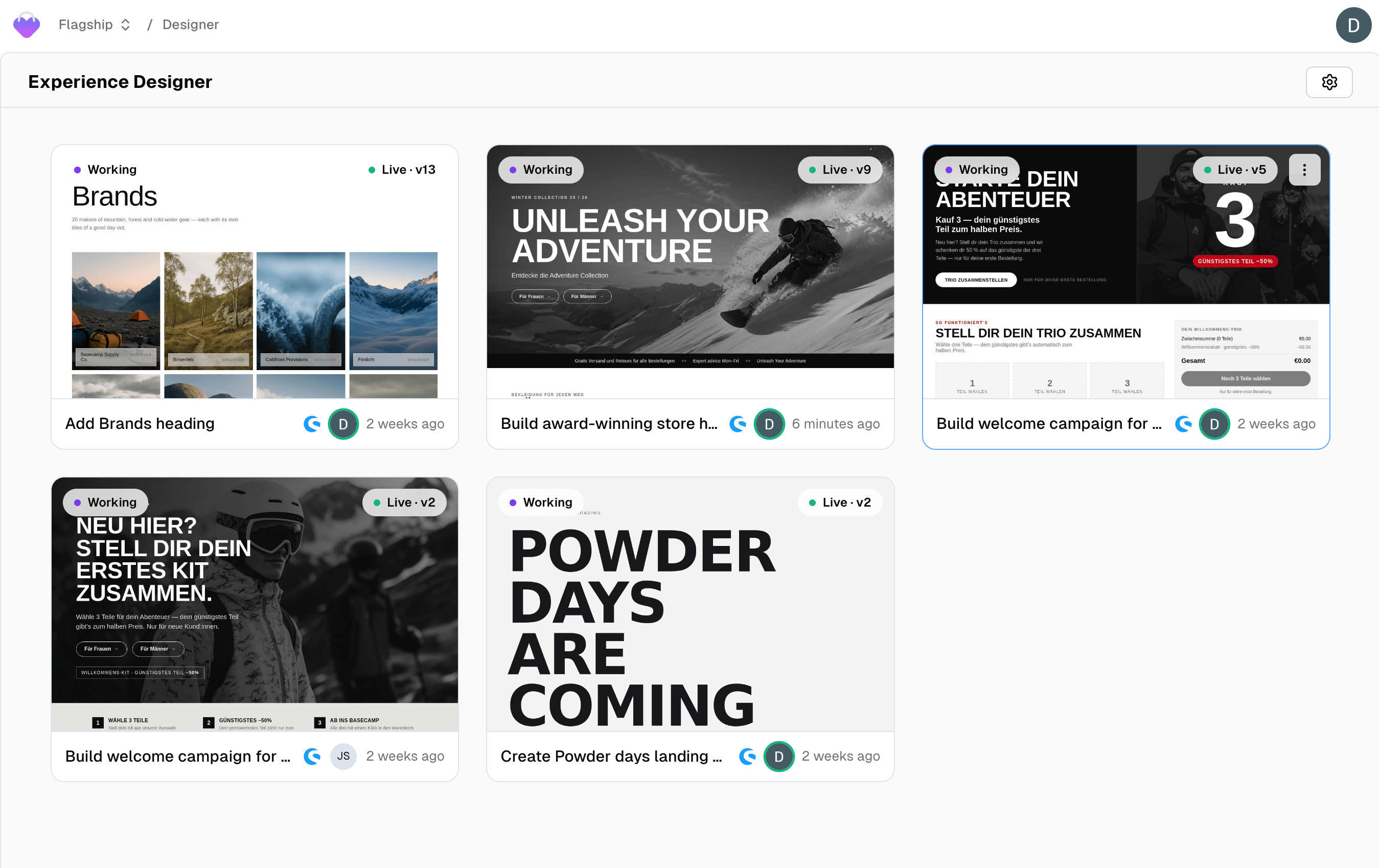
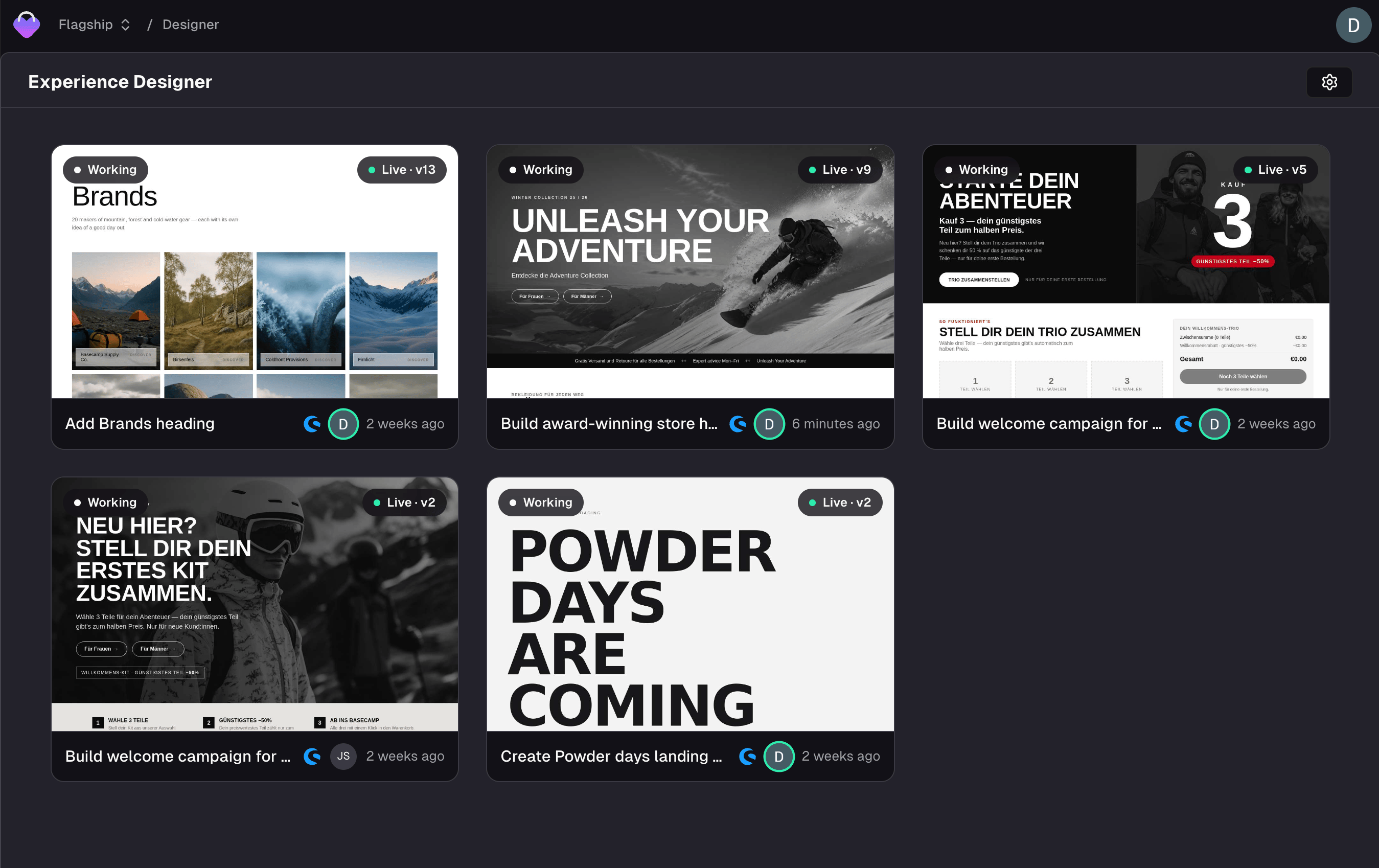
The **Experience Designer** builds one page at a time. You describe a campaign — an offer, an audience, a season — and a design agent builds it against your live shop, on a canvas that renders inside your real storefront. When it looks right, you publish it, and it goes live in place.
The Experience Designer is in **Preview**. It's rolling out gradually — if you don't see **Designer** in the admin sidebar yet, contact [support](mailto:support@frontic.com).
Where [Frontic Studio](/studio/frontic-studio) produces code in a repository, the Designer produces an **experience**: a self-contained fragment that mounts into a page your shop already serves.
 ## What an experience is
An experience is a single, emotional commerce moment — a Black Friday landing page, a brand collaboration, a category takeover, a seasonal hero. It renders with your header, your footer, your theme, and your real add-to-cart, because it lives inside your storefront rather than beside it.
Concretely, an experience is:
* **One unit of work** with its own name, its own canvas, and its own chat
* **Versioned** — every save is an immutable version you can publish, roll back to, or share
* **Bound to a place** — a URL on your shop, and optionally a specific container on that page
Products and prices in an experience are **real**. The agent pulls them from your project's live catalog through the typed API, so a price on the page is the price your shop charges. It doesn't invent offers, and it doesn't bake prices into text.
## Who it's for
Marketing and e-commerce people who think in offers, audiences, seasons, and brand — not in files and builds. The Designer's chat is deliberately non-technical: it talks about the experience, the canvas, the hero, and the offer, and it keeps framework and build details to itself.
That also sets the boundary. The Designer designs experiences. Prices, product data, and shop settings live in your shop system or in [project settings](/project-settings/general) — ask the Designer to change one and it'll tell you where it lives, then offer what it *can* do toward the same goal.
## Creating an experience
Two entry points, depending on where your project's storefront lives.
Open **Designer** in the admin sidebar and click **New Experience**.
The Designer builds against your project's first domain unless you
point it somewhere else.
With the [Shopware connector](/connectors/shopware) installed,
drop a **Frontic Experience** block into a Shopping Experience
layout and click **Open in Designer**.
[How to create an experience from Shopware](/connectors/shopware#frontic-experiences-in-shopware)
When a project is connected to Shopware, experiences are created **from the Shopware side** — the layout owns where the experience lives, so Frontic doesn't offer a New Experience button that would produce a page with nowhere to go. See [Frontic Experiences in Shopware](/connectors/shopware#frontic-experiences-in-shopware) for that flow end to end.
Either way, opening a new experience provisions a workspace for it: Frontic reserves the sandbox that runs the build, wakes the design agent, and loads a private, editable copy of your storefront behind the canvas. It takes a moment the first time; after that the workspace sleeps and wakes with the experience.
## The Designer surface
Two panels: **chat** on the left, **canvas** on the right.
The canvas is not a mockup. It's your storefront — the real page at the preview URL — with the experience rendered in place of the container it replaces. Scroll it, switch between phone and desktop, click through to another page and come back. What you see is what shoppers get.
Above the canvas sits a toolbar with the version picker, the share link, and the controls for pointing the experience at a different page or a different container on it. Everything on the [Building an experience](/designer/building) page happens here.
If your project has no shop connected — or the preview URL can't be loaded — the Designer builds on a **blank canvas** instead. The experience still gets built — it renders on its own, without the surrounding shop. Set a reachable preview URL in the experience's settings to build against the real thing.
## How the agent works
The Designer's chat follows a deliberate arc, and each step shows something real on the canvas rather than describing it.
One or two sharp questions — the offer, the audience — and then it
starts. It won't interview you for ten minutes before showing
anything.
A grayscale draft on the canvas: layout and rough content, no brand
styling yet. Interactive ideas (a product finder, a bundle builder)
are pitched here and sketched static. **This is the one hard gate**
— the agent waits for your sign-off on the direction before it
starts polishing.
Full brand treatment from your [Design
Library](/context-base/design-library), then interactivity and
motion. Progress shows as a task list; you steer by interrupting.
Real products from your catalog, matched to the brief. When the
pick is ambiguous, the agent asks rather than guessing.
The arc scales to the ask. A tweak skips it entirely; "just build it" compresses it into one pass. Every meaningful round ends with the canvas updated and one sentence about what changed.
The agent proposes **one** concept with conviction rather than a menu of options, and it will push back once — politely — when a request would hurt the result. After that, your call is final.
## What it draws on
The Designer doesn't start from zero on a new project either.
| Source | What it contributes |
| --------------------------------------------------------- | ---------------------------------------------------------------------------------------------------------------------------- |
| [Design Library](/context-base/design-library) | Brand tokens — colors, typography, corners, logos. The agent may only use these; hardcoded brand colors are a build failure. |
| [Context Base rules](/context-base/rules) | Styleguide, tone of voice, product domain, marketing playbook — the same rules Studio and your IDE agents follow. |
| [Designer settings](/designer/building#designer-settings) | The Designer Prompt and Designer Project Rules, scoped to this surface only. |
| Your catalog | Products, prices, categories, and media, live through the project's typed API. |
[Initialize](/context-base/initialize) writes the first draft of all of it by reading your storefront once.
## Related
The canvas, stages, element picking, media, and Designer settings.
Versions, going live, rollback, and sharing a preview.
The other build surface — whole frontends, in a Git repository.
Creating experiences from the Shopware admin and publishing back
into a CMS slot.
## What an experience is
An experience is a single, emotional commerce moment — a Black Friday landing page, a brand collaboration, a category takeover, a seasonal hero. It renders with your header, your footer, your theme, and your real add-to-cart, because it lives inside your storefront rather than beside it.
Concretely, an experience is:
* **One unit of work** with its own name, its own canvas, and its own chat
* **Versioned** — every save is an immutable version you can publish, roll back to, or share
* **Bound to a place** — a URL on your shop, and optionally a specific container on that page
Products and prices in an experience are **real**. The agent pulls them from your project's live catalog through the typed API, so a price on the page is the price your shop charges. It doesn't invent offers, and it doesn't bake prices into text.
## Who it's for
Marketing and e-commerce people who think in offers, audiences, seasons, and brand — not in files and builds. The Designer's chat is deliberately non-technical: it talks about the experience, the canvas, the hero, and the offer, and it keeps framework and build details to itself.
That also sets the boundary. The Designer designs experiences. Prices, product data, and shop settings live in your shop system or in [project settings](/project-settings/general) — ask the Designer to change one and it'll tell you where it lives, then offer what it *can* do toward the same goal.
## Creating an experience
Two entry points, depending on where your project's storefront lives.
Open **Designer** in the admin sidebar and click **New Experience**.
The Designer builds against your project's first domain unless you
point it somewhere else.
With the [Shopware connector](/connectors/shopware) installed,
drop a **Frontic Experience** block into a Shopping Experience
layout and click **Open in Designer**.
[How to create an experience from Shopware](/connectors/shopware#frontic-experiences-in-shopware)
When a project is connected to Shopware, experiences are created **from the Shopware side** — the layout owns where the experience lives, so Frontic doesn't offer a New Experience button that would produce a page with nowhere to go. See [Frontic Experiences in Shopware](/connectors/shopware#frontic-experiences-in-shopware) for that flow end to end.
Either way, opening a new experience provisions a workspace for it: Frontic reserves the sandbox that runs the build, wakes the design agent, and loads a private, editable copy of your storefront behind the canvas. It takes a moment the first time; after that the workspace sleeps and wakes with the experience.
## The Designer surface
Two panels: **chat** on the left, **canvas** on the right.
The canvas is not a mockup. It's your storefront — the real page at the preview URL — with the experience rendered in place of the container it replaces. Scroll it, switch between phone and desktop, click through to another page and come back. What you see is what shoppers get.
Above the canvas sits a toolbar with the version picker, the share link, and the controls for pointing the experience at a different page or a different container on it. Everything on the [Building an experience](/designer/building) page happens here.
If your project has no shop connected — or the preview URL can't be loaded — the Designer builds on a **blank canvas** instead. The experience still gets built — it renders on its own, without the surrounding shop. Set a reachable preview URL in the experience's settings to build against the real thing.
## How the agent works
The Designer's chat follows a deliberate arc, and each step shows something real on the canvas rather than describing it.
One or two sharp questions — the offer, the audience — and then it
starts. It won't interview you for ten minutes before showing
anything.
A grayscale draft on the canvas: layout and rough content, no brand
styling yet. Interactive ideas (a product finder, a bundle builder)
are pitched here and sketched static. **This is the one hard gate**
— the agent waits for your sign-off on the direction before it
starts polishing.
Full brand treatment from your [Design
Library](/context-base/design-library), then interactivity and
motion. Progress shows as a task list; you steer by interrupting.
Real products from your catalog, matched to the brief. When the
pick is ambiguous, the agent asks rather than guessing.
The arc scales to the ask. A tweak skips it entirely; "just build it" compresses it into one pass. Every meaningful round ends with the canvas updated and one sentence about what changed.
The agent proposes **one** concept with conviction rather than a menu of options, and it will push back once — politely — when a request would hurt the result. After that, your call is final.
## What it draws on
The Designer doesn't start from zero on a new project either.
| Source | What it contributes |
| --------------------------------------------------------- | ---------------------------------------------------------------------------------------------------------------------------- |
| [Design Library](/context-base/design-library) | Brand tokens — colors, typography, corners, logos. The agent may only use these; hardcoded brand colors are a build failure. |
| [Context Base rules](/context-base/rules) | Styleguide, tone of voice, product domain, marketing playbook — the same rules Studio and your IDE agents follow. |
| [Designer settings](/designer/building#designer-settings) | The Designer Prompt and Designer Project Rules, scoped to this surface only. |
| Your catalog | Products, prices, categories, and media, live through the project's typed API. |
[Initialize](/context-base/initialize) writes the first draft of all of it by reading your storefront once.
## Related
The canvas, stages, element picking, media, and Designer settings.
Versions, going live, rollback, and sharing a preview.
The other build surface — whole frontends, in a Git repository.
Creating experiences from the Shopware admin and publishing back
into a CMS slot.