> ## Documentation Index
> Fetch the complete documentation index at: https://docs.frontic.com/llms.txt
> Use this file to discover all available pages before exploring further.
# Page URLs
Shopping experiences live on URLs. Customers bookmark them, search engines index them, social posts link to them. Every one of those URLs needs to resolve to something renderable — and it should do so in a single request.
That's what a Page URL is: you hand Frontic a URL-key, and you get back everything needed to render the page — the page type, the data, and all the route metadata. No server-side routing logic, no second lookup, no stitching.
Manage your pages in the [API Builder](https://app.frontic.com/builder/pages) section of the admin app.
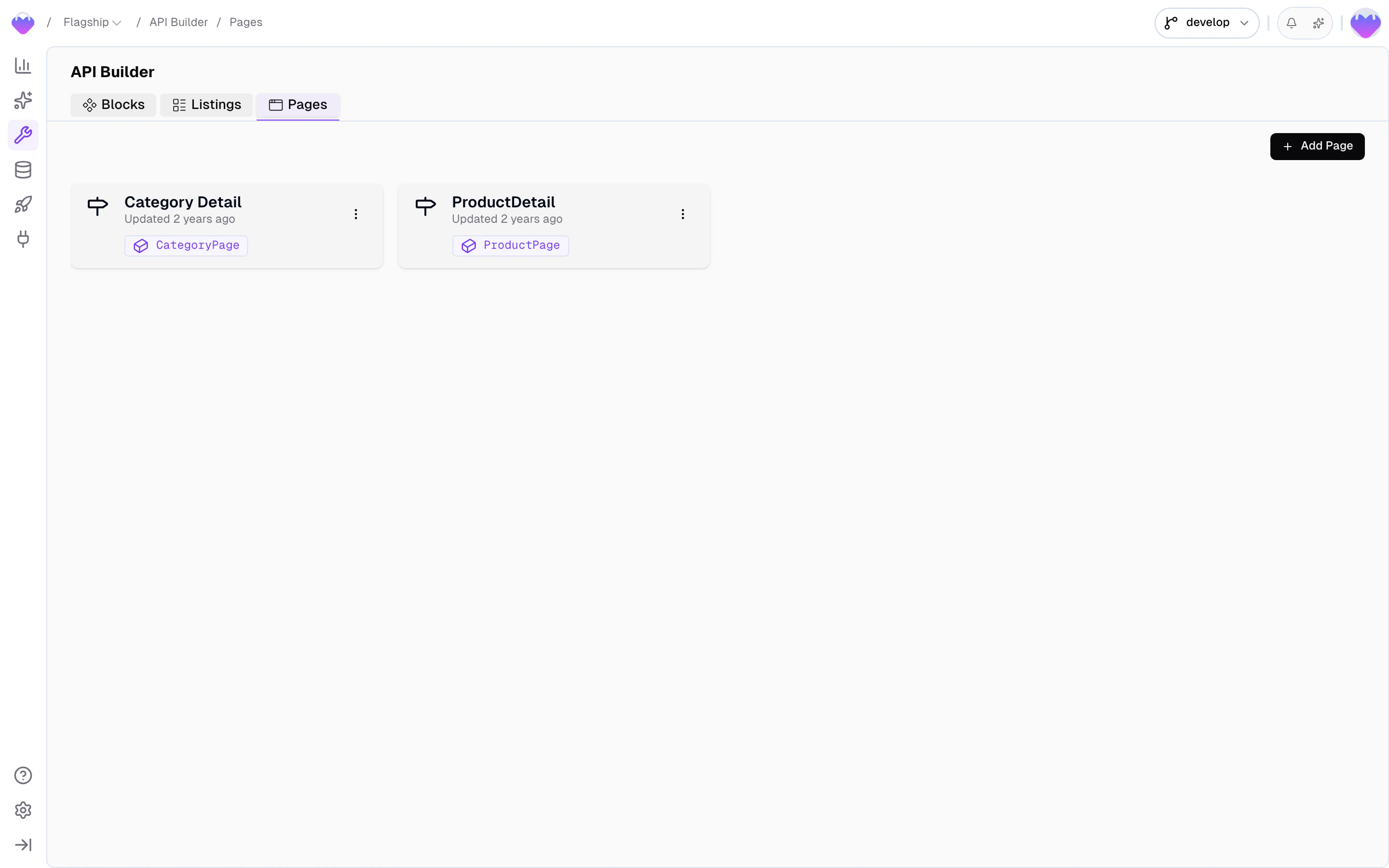
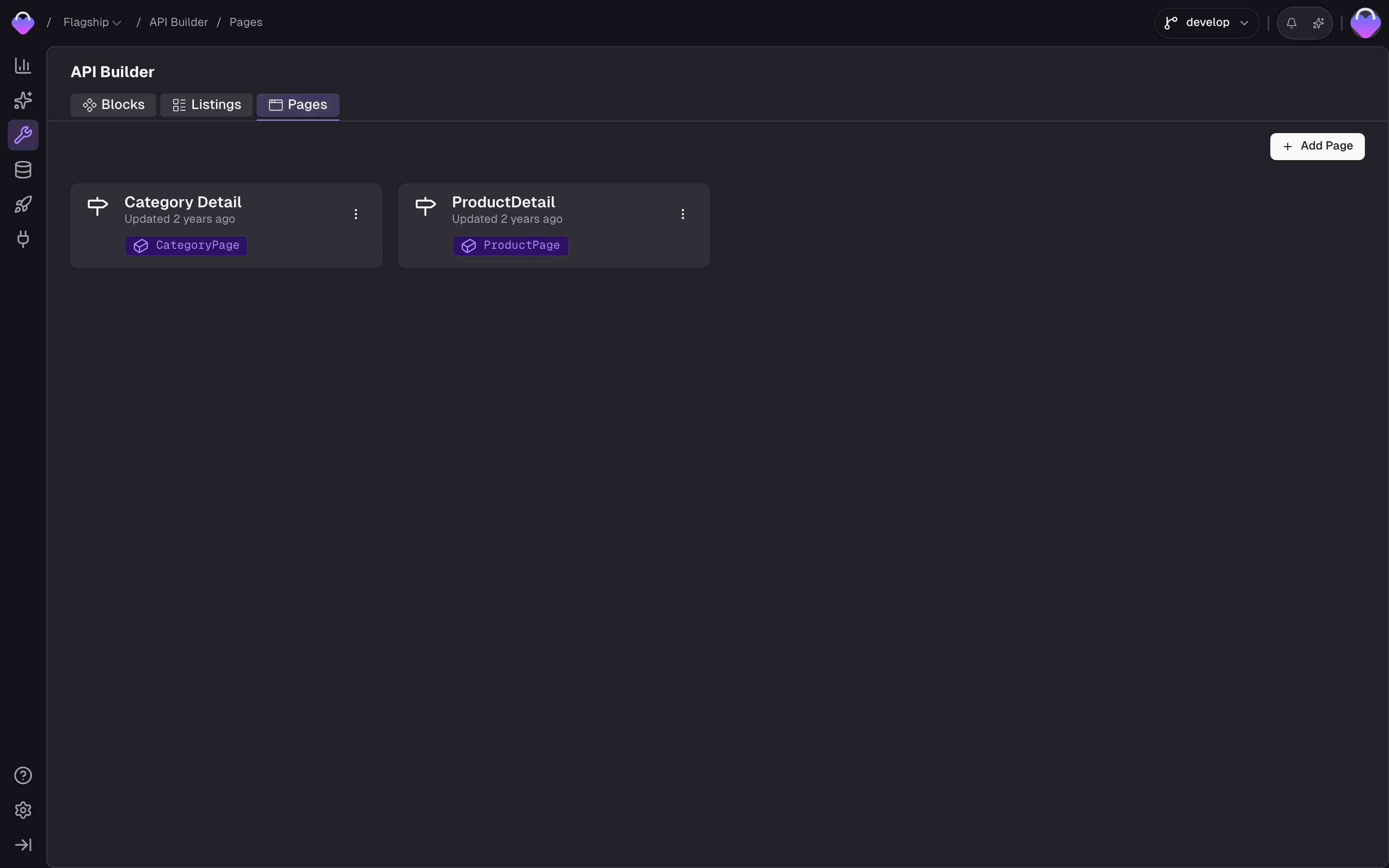 Page URLs don't hold their own data — they map a URL pattern to a [Detail Block](/api-builder/blocks), and that block's records become the page's content. Make sure the block you want to serve already exists and is connected to a Data Storage before creating a page.
## Create a page
From the [API Builder](https://app.frontic.com/builder/pages), click **New Page**.
Page URLs don't hold their own data — they map a URL pattern to a [Detail Block](/api-builder/blocks), and that block's records become the page's content. Make sure the block you want to serve already exists and is connected to a Data Storage before creating a page.
## Create a page
From the [API Builder](https://app.frontic.com/builder/pages), click **New Page**.
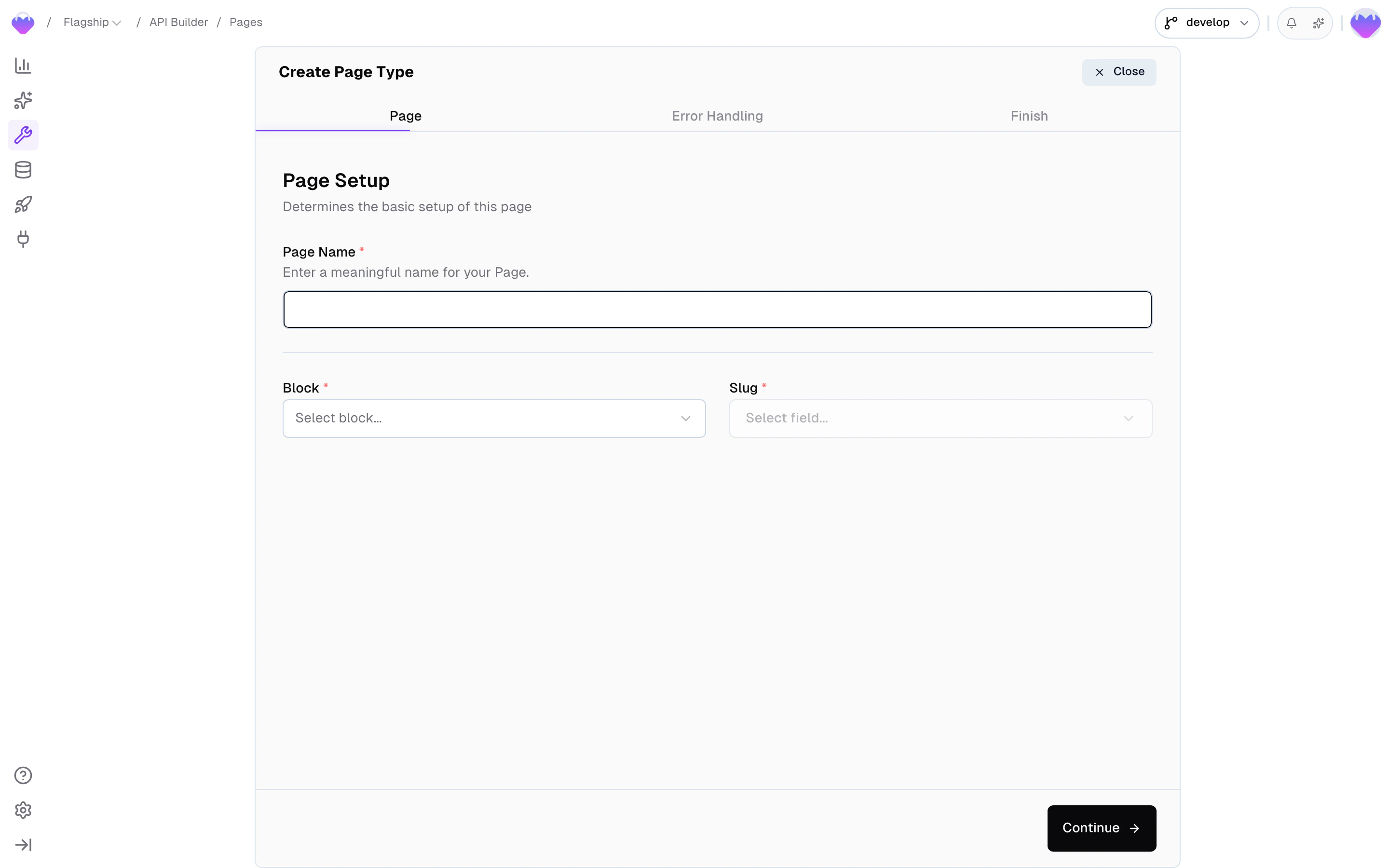
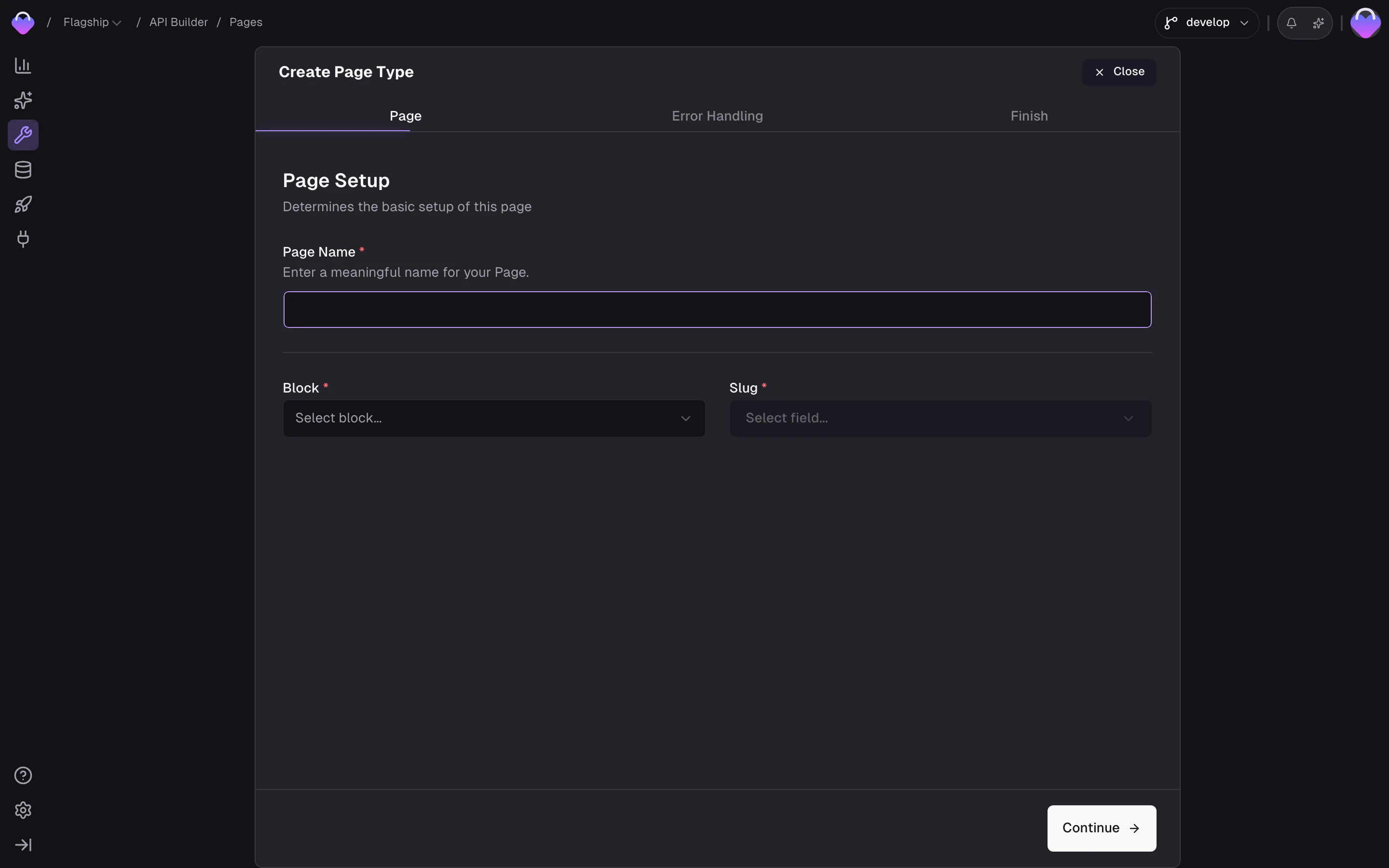 Three pieces of information define a page:
* **Page name** — a human-readable name (e.g. `Product Detail`). Frontic derives the page type identifier and endpoint slug from this, so use normal capitalized words with spaces.
* **Block** — the [Detail Block](/api-builder/blocks) that shapes the response for this page type
* **Slug** — the block field used to generate the URL (e.g. `name`, `breadcrumbs`, `handle`)
If no field on your block produces the URL shape you want, add a dedicated slug field and compute it with the [Value Composer](/data-integration/value-composer). Common patterns: `slugify` on a product name, `concat` a category path with a product name and color variant, or combine a brand prefix with a SKU — full control over URL shape without reshaping the underlying data.
### Localized URLs
If the slug field points at a translatable or scoped storage field, Frontic folds out one URL per locale and region from the same record. A single product can resolve at `/en/shop/equipment`, `/de/shop/ausstattung`, and a B2B-scoped `/pro/shop/equipment` at the same time — each served from the [domain](/project-settings/domains) that matches, each resolving to its own [request context](/api-builder/overview#request-context). Translate or scope the slug field on your Data Storage and the URL structure follows.
### Action on withdrawal
Pages change — blocks get removed, records get deactivated. In commerce, URLs that disappear cost you rankings, inbound links, and customer trust. Configure what happens when a page's underlying record is no longer available:
| Action | Description |
| -------------------- | ----------------------------------------------------- |
| 302 Redirect to home | Temporary redirect — the most common choice |
| 301 Redirect to home | Permanent redirect, removes the URL from search index |
| Delete URL | Removes the URL entirely (callers get a 404) |
| Keep URL with 404 | Keeps the URL but serves a 404 — useful for analytics |
Withdrawn URLs aren't lost — they're detached from the record but kept in the URL history. If a record with the same slug reappears later, Frontic automatically re-attaches the existing URL to it, preserving the original link. A record recreated with a different slug gets a fresh URL, and the old one stays withdrawn.
To inspect individual generated URLs, verify canonical status, or remove stale entries, use the [URL Browser](/commerce-concepts/urls-seo#url-browser) in the admin app.
### Conflict resolution
URLs must be unique. When two records would generate the same slug (e.g. two products with the same name), pick a strategy:
| Strategy | Description |
| ------------ | ---------------------------------------------------------------------- |
| Append token | A secondary field (e.g. SKU) is appended to the slug to make it unique |
| Dismiss | The second page isn't created — the colliding record gets no URL |
### Sitemaps
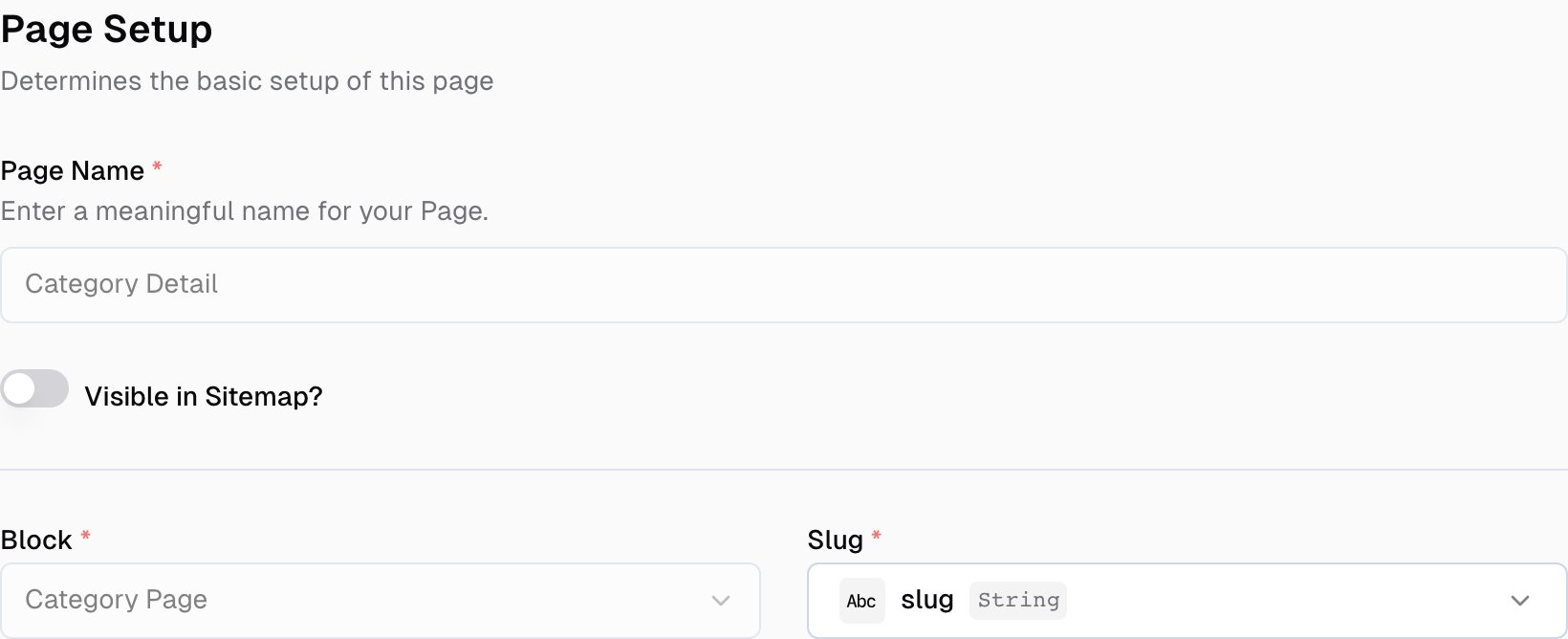
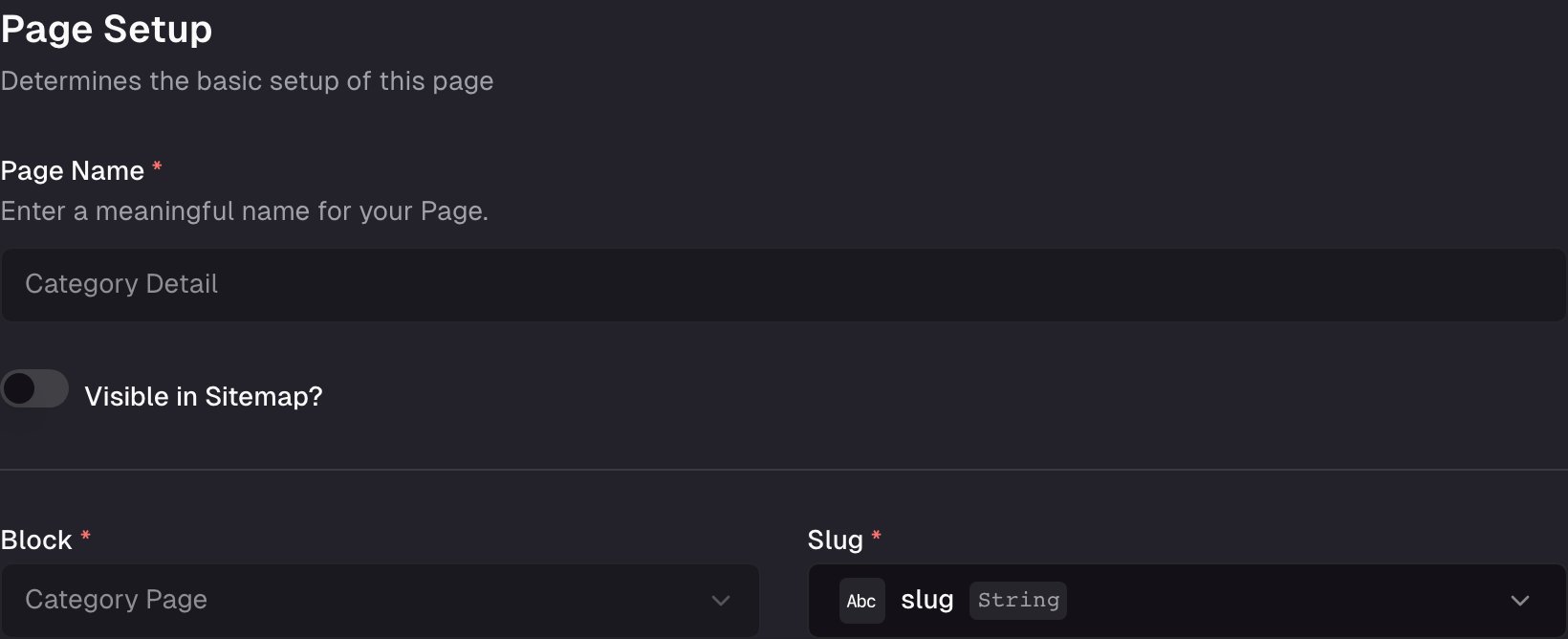
You can augment your sitemaps with your Frontic page URLs. Enable sitemap visibility in your page settings to include that page in a generated sitemap:
Three pieces of information define a page:
* **Page name** — a human-readable name (e.g. `Product Detail`). Frontic derives the page type identifier and endpoint slug from this, so use normal capitalized words with spaces.
* **Block** — the [Detail Block](/api-builder/blocks) that shapes the response for this page type
* **Slug** — the block field used to generate the URL (e.g. `name`, `breadcrumbs`, `handle`)
If no field on your block produces the URL shape you want, add a dedicated slug field and compute it with the [Value Composer](/data-integration/value-composer). Common patterns: `slugify` on a product name, `concat` a category path with a product name and color variant, or combine a brand prefix with a SKU — full control over URL shape without reshaping the underlying data.
### Localized URLs
If the slug field points at a translatable or scoped storage field, Frontic folds out one URL per locale and region from the same record. A single product can resolve at `/en/shop/equipment`, `/de/shop/ausstattung`, and a B2B-scoped `/pro/shop/equipment` at the same time — each served from the [domain](/project-settings/domains) that matches, each resolving to its own [request context](/api-builder/overview#request-context). Translate or scope the slug field on your Data Storage and the URL structure follows.
### Action on withdrawal
Pages change — blocks get removed, records get deactivated. In commerce, URLs that disappear cost you rankings, inbound links, and customer trust. Configure what happens when a page's underlying record is no longer available:
| Action | Description |
| -------------------- | ----------------------------------------------------- |
| 302 Redirect to home | Temporary redirect — the most common choice |
| 301 Redirect to home | Permanent redirect, removes the URL from search index |
| Delete URL | Removes the URL entirely (callers get a 404) |
| Keep URL with 404 | Keeps the URL but serves a 404 — useful for analytics |
Withdrawn URLs aren't lost — they're detached from the record but kept in the URL history. If a record with the same slug reappears later, Frontic automatically re-attaches the existing URL to it, preserving the original link. A record recreated with a different slug gets a fresh URL, and the old one stays withdrawn.
To inspect individual generated URLs, verify canonical status, or remove stale entries, use the [URL Browser](/commerce-concepts/urls-seo#url-browser) in the admin app.
### Conflict resolution
URLs must be unique. When two records would generate the same slug (e.g. two products with the same name), pick a strategy:
| Strategy | Description |
| ------------ | ---------------------------------------------------------------------- |
| Append token | A secondary field (e.g. SKU) is appended to the slug to make it unique |
| Dismiss | The second page isn't created — the colliding record gets no URL |
### Sitemaps
You can augment your sitemaps with your Frontic page URLs. Enable sitemap visibility in your page settings to include that page in a generated sitemap:
 Sitemaps can be fetched via [the Fetch API's sitemap endpoint](/reference/fetch-api/sitemap).
## How URLs resolve
Frontic stores pages by their content-only slug, then projects them through your project's domain mappings to produce one fully-qualified URL per `(scope, region, locale)` combination that's configured to expose the content.
### URL anatomy
A resolvable URL splits into two parts: the **domain** the project mapped, and the **slug** the page record produced.
```
www.demo-shop.com/de /shop/ausstattung
└──────────────────┘ └───────────────┘
domain slug
```
The **domain** is whatever string the project configured under [Domains](/project-settings/domains) — Frontic doesn't model a separate locale prefix layer. The same project can map any of these as a domain entry, and Frontic treats the whole thing as opaque on lookup:
* `www.demo-shop.com` — single domain, single locale
* `de.demo-shop.com` — locale on a subdomain
* `www.demo-shop.com/de` — locale on a path prefix, on the same domain
Each domain entry pins its own scope, region, and locale defaults. The slug is whatever path the page record's slug field produced — translated independently when the field is translatable.
The same product can resolve at all of:
* `www.demo-shop.com/shop/equipment` — public scope, en-US
* `www.demo-shop.com/de/shop/ausstattung` — public scope, de-DE (translated slug, locale carried by the path prefix in the configured domain)
* `b2b.demo-shop.com/shop/equipment` — b2b scope, en-US
Each is a separate URL with its own [request context](/api-builder/overview#request-context); the response shape is identical, but the data inside reflects the resolved scope / region / locale.
### Resolution chain
When a request hits Frontic with a URL like `www.demo-shop.com/de/shop/ausstattung`, the pipeline runs in this order:
1. **Domain match** — Frontic finds the longest configured project-domain entry that owns this URL (e.g. `www.demo-shop.com/de`, not `www.demo-shop.com`). The match returns the scope, region, and locale that domain entry is pinned to.
2. **Context resolution** — the `(scope, region, locale)` tuple becomes the [request context](/api-builder/overview#request-context). If the caller sent an `fs-context` header, that takes precedence; otherwise the domain's defaults apply.
3. **Page lookup** — Frontic strips the matched domain prefix and looks the remaining slug up in the project's URL history for the resolved scope. Hits return the page record; misses fall through to `route.code: 404` (or a redirect, depending on the page's withdrawal action).
4. **Block render** — the matched page's connected [Detail Block](/api-builder/blocks) renders the response, applying the resolved context to translatable / scoped fields.
5. **Route metadata** — Frontic attaches `route` to the response with the resolved code, the active context, alternate URLs for the same content in other regions/locales, and (when relevant) `redirect` or `context.suggested` entries.
The frontend doesn't need to know the chain — it's enough to pass the incoming URL to `client.page()`. The pipeline produces a deterministic answer, and your match-all route renders whatever comes back via `page.type` and `page.data`.
## Fetch a page
Your frontend hits a match-all route with only the incoming slug (e.g. `/fr/femme/chemises`). Pass that slug to Frontic and render the result.
```ts theme={"theme":"css-variables"}
const { slug } = useRoute().params;
const page = await client.page(slug);
```
```vue theme={"theme":"css-variables"}
```
See the [Client SDK reference](/reference/client-sdk#client-page) for the full API.
## Response
The response carries the page type, the block payload for this URL, and route metadata.
```json theme={"theme":"css-variables"}
{
"type": "CategoryDetail",
"block": "CategoryPage",
"data": {
"slug": "gloves-0194bcdaa2d57dc4bb4a9f33ed6b718c",
"title": "Gloves"
},
"route": {
"code": 200,
"context": { "region": "de", "locale": "de-DE" },
"alternates": [
{
"slug": "shop/equipment",
"path": "/en/shop/equipment",
"url": "www.demo-shop.com/en/shop/equipment",
"href": "https://www.demo-shop.com/en/shop/equipment",
"region": "en",
"locale": "en-GB"
}
]
}
}
```
The page type (e.g. `"CategoryDetail"`, `"ProductDetail"`). Use this to pick which component to render.
The underlying Detail Block name. Useful if you map components to block names instead of page types.
The block's content for this URL. Structure depends on the Detail Block configuration.
Route metadata — response code, resolved context, alternates, suggestions, redirects. See [Route metadata](#route-metadata) below.
### Route metadata
The `route` property tells your frontend what HTTP code to return, what locale/region was resolved, where to redirect, and which alternate URLs exist for the same content.
The HTTP status code your frontend should return: `200`, `301`, `302`, or `404`.
The resolved region and locale the page was served for. Use this for analytics, canonical tags, or client-side state.
Alternate routes for the same content in other regions/locales. Use for `hreflang` tags and language switchers. The current route is not included.
When `code` is `301` or `302`, this holds the target URL to redirect to.
When the caller's [context](/api-builder/overview#request-context) doesn't match the route Frontic resolved, this suggests a better-matching alternate. See [Context mismatches](#context-mismatches).
### Context mismatches
When a visitor with a `contextKey` tied to one region or locale lands on a URL from a different one — say, a user with `de-DE` context hitting `/en/shop/equipment` — Frontic serves the requested URL (never guesses silently) but adds `context.suggested` to the route, containing the matching alternate (slug, path, url, href, region, locale).
Your frontend decides what to do: prompt the user ("we noticed you're in German — switch?"), auto-redirect, adjust the canonical tag, or ignore the suggestion entirely and render the content as-is. Suggestions only appear on `200` responses — redirects and 404s don't include them.
### Error handling and redirects
The HTTP call itself returns `200 OK` whenever Frontic can satisfy the request — logical redirects and not-found cases for the URL live inside `route.code`. Your frontend reads that field, returns the matching HTTP status to the visitor, and (for `301` / `302`) uses `route.redirect.href` as the location. One code path handles every case.
## API Playground
Preview — the API Playground is in early access. It runs against your live backend today, but the UI and feature set are still settling before general availability. [Reach out](mailto:support@frontic.com) if you want to try it.
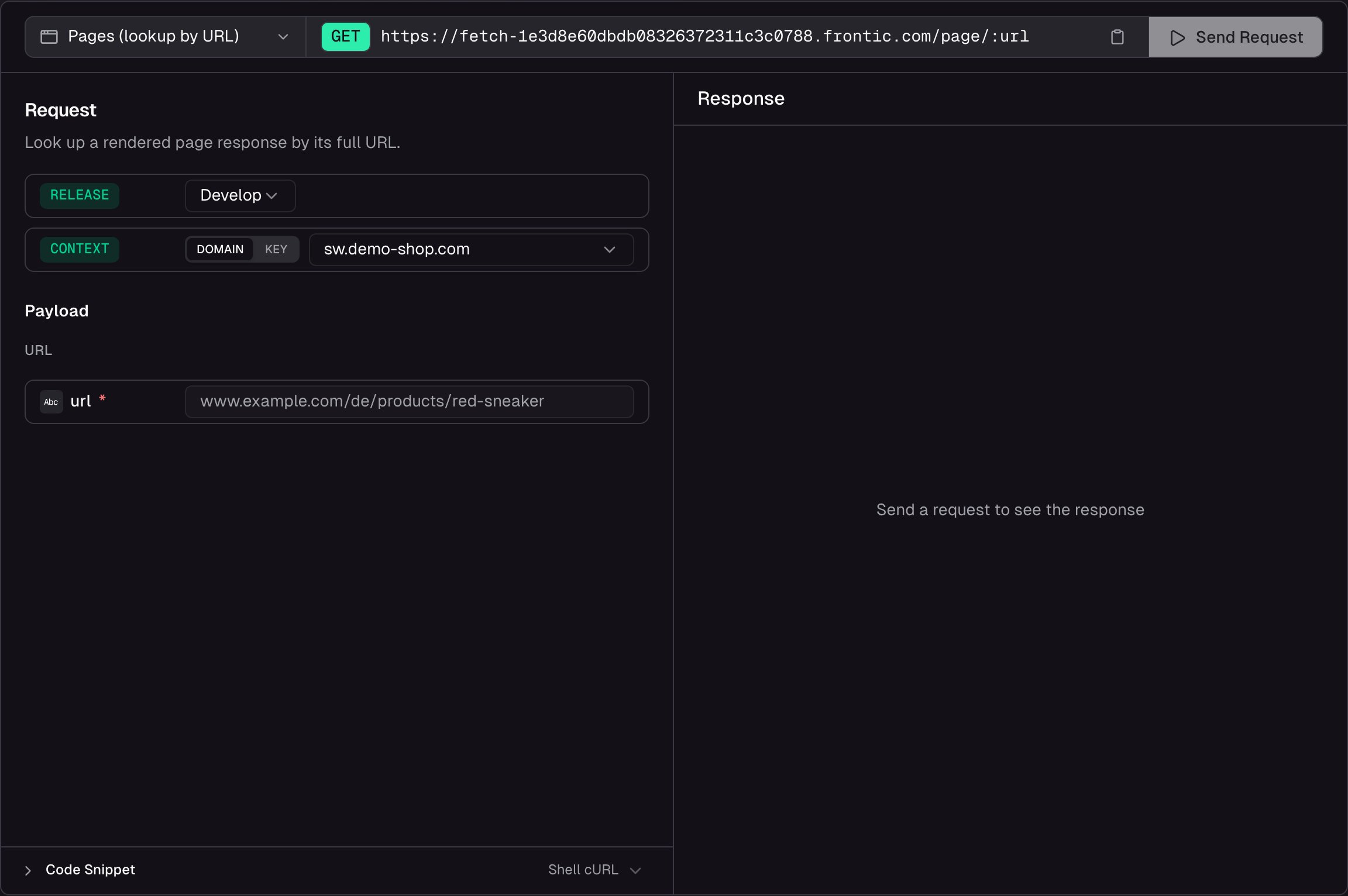
Open the playground from the Pages list header or from any routed page's detail header to look up a rendered page against real data without writing code. Enter a URL, pick a release stage, set the request context, and hit **Send** — the full page response appears side by side with your request.
Sitemaps can be fetched via [the Fetch API's sitemap endpoint](/reference/fetch-api/sitemap).
## How URLs resolve
Frontic stores pages by their content-only slug, then projects them through your project's domain mappings to produce one fully-qualified URL per `(scope, region, locale)` combination that's configured to expose the content.
### URL anatomy
A resolvable URL splits into two parts: the **domain** the project mapped, and the **slug** the page record produced.
```
www.demo-shop.com/de /shop/ausstattung
└──────────────────┘ └───────────────┘
domain slug
```
The **domain** is whatever string the project configured under [Domains](/project-settings/domains) — Frontic doesn't model a separate locale prefix layer. The same project can map any of these as a domain entry, and Frontic treats the whole thing as opaque on lookup:
* `www.demo-shop.com` — single domain, single locale
* `de.demo-shop.com` — locale on a subdomain
* `www.demo-shop.com/de` — locale on a path prefix, on the same domain
Each domain entry pins its own scope, region, and locale defaults. The slug is whatever path the page record's slug field produced — translated independently when the field is translatable.
The same product can resolve at all of:
* `www.demo-shop.com/shop/equipment` — public scope, en-US
* `www.demo-shop.com/de/shop/ausstattung` — public scope, de-DE (translated slug, locale carried by the path prefix in the configured domain)
* `b2b.demo-shop.com/shop/equipment` — b2b scope, en-US
Each is a separate URL with its own [request context](/api-builder/overview#request-context); the response shape is identical, but the data inside reflects the resolved scope / region / locale.
### Resolution chain
When a request hits Frontic with a URL like `www.demo-shop.com/de/shop/ausstattung`, the pipeline runs in this order:
1. **Domain match** — Frontic finds the longest configured project-domain entry that owns this URL (e.g. `www.demo-shop.com/de`, not `www.demo-shop.com`). The match returns the scope, region, and locale that domain entry is pinned to.
2. **Context resolution** — the `(scope, region, locale)` tuple becomes the [request context](/api-builder/overview#request-context). If the caller sent an `fs-context` header, that takes precedence; otherwise the domain's defaults apply.
3. **Page lookup** — Frontic strips the matched domain prefix and looks the remaining slug up in the project's URL history for the resolved scope. Hits return the page record; misses fall through to `route.code: 404` (or a redirect, depending on the page's withdrawal action).
4. **Block render** — the matched page's connected [Detail Block](/api-builder/blocks) renders the response, applying the resolved context to translatable / scoped fields.
5. **Route metadata** — Frontic attaches `route` to the response with the resolved code, the active context, alternate URLs for the same content in other regions/locales, and (when relevant) `redirect` or `context.suggested` entries.
The frontend doesn't need to know the chain — it's enough to pass the incoming URL to `client.page()`. The pipeline produces a deterministic answer, and your match-all route renders whatever comes back via `page.type` and `page.data`.
## Fetch a page
Your frontend hits a match-all route with only the incoming slug (e.g. `/fr/femme/chemises`). Pass that slug to Frontic and render the result.
```ts theme={"theme":"css-variables"}
const { slug } = useRoute().params;
const page = await client.page(slug);
```
```vue theme={"theme":"css-variables"}
```
See the [Client SDK reference](/reference/client-sdk#client-page) for the full API.
## Response
The response carries the page type, the block payload for this URL, and route metadata.
```json theme={"theme":"css-variables"}
{
"type": "CategoryDetail",
"block": "CategoryPage",
"data": {
"slug": "gloves-0194bcdaa2d57dc4bb4a9f33ed6b718c",
"title": "Gloves"
},
"route": {
"code": 200,
"context": { "region": "de", "locale": "de-DE" },
"alternates": [
{
"slug": "shop/equipment",
"path": "/en/shop/equipment",
"url": "www.demo-shop.com/en/shop/equipment",
"href": "https://www.demo-shop.com/en/shop/equipment",
"region": "en",
"locale": "en-GB"
}
]
}
}
```
The page type (e.g. `"CategoryDetail"`, `"ProductDetail"`). Use this to pick which component to render.
The underlying Detail Block name. Useful if you map components to block names instead of page types.
The block's content for this URL. Structure depends on the Detail Block configuration.
Route metadata — response code, resolved context, alternates, suggestions, redirects. See [Route metadata](#route-metadata) below.
### Route metadata
The `route` property tells your frontend what HTTP code to return, what locale/region was resolved, where to redirect, and which alternate URLs exist for the same content.
The HTTP status code your frontend should return: `200`, `301`, `302`, or `404`.
The resolved region and locale the page was served for. Use this for analytics, canonical tags, or client-side state.
Alternate routes for the same content in other regions/locales. Use for `hreflang` tags and language switchers. The current route is not included.
When `code` is `301` or `302`, this holds the target URL to redirect to.
When the caller's [context](/api-builder/overview#request-context) doesn't match the route Frontic resolved, this suggests a better-matching alternate. See [Context mismatches](#context-mismatches).
### Context mismatches
When a visitor with a `contextKey` tied to one region or locale lands on a URL from a different one — say, a user with `de-DE` context hitting `/en/shop/equipment` — Frontic serves the requested URL (never guesses silently) but adds `context.suggested` to the route, containing the matching alternate (slug, path, url, href, region, locale).
Your frontend decides what to do: prompt the user ("we noticed you're in German — switch?"), auto-redirect, adjust the canonical tag, or ignore the suggestion entirely and render the content as-is. Suggestions only appear on `200` responses — redirects and 404s don't include them.
### Error handling and redirects
The HTTP call itself returns `200 OK` whenever Frontic can satisfy the request — logical redirects and not-found cases for the URL live inside `route.code`. Your frontend reads that field, returns the matching HTTP status to the visitor, and (for `301` / `302`) uses `route.redirect.href` as the location. One code path handles every case.
## API Playground
Preview — the API Playground is in early access. It runs against your live backend today, but the UI and feature set are still settling before general availability. [Reach out](mailto:support@frontic.com) if you want to try it.
Open the playground from the Pages list header or from any routed page's detail header to look up a rendered page against real data without writing code. Enter a URL, pick a release stage, set the request context, and hit **Send** — the full page response appears side by side with your request.
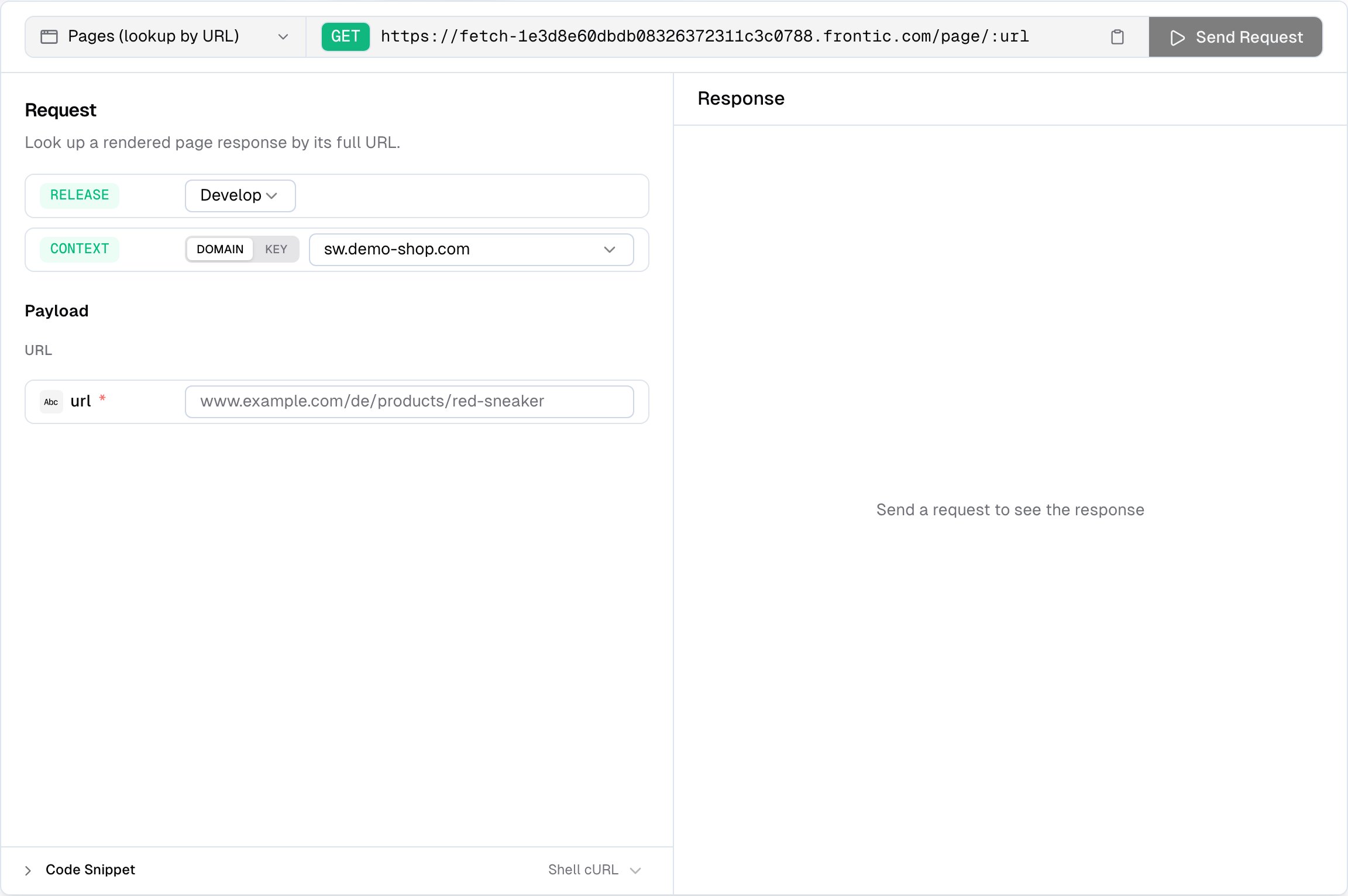
 Use the playground to:
* **Resolve a URL** — paste the full URL (e.g. `www.demo-shop.com/de/products/red-sneaker`) and see which page type, block, and data Frontic resolves for it
* **Pick a release stage** — run the request against `develop`, `preview`, or `public`. Preview and public only appear when those environments exist on the project
* **Inspect the response** — status, response time, and payload size are shown alongside the body so you can spot performance issues. The response includes `type`, `block`, `data`, and the full `route` metadata
* **Copy code snippets** — auto-generated from your current configuration, ready to paste into your project
## Link to a page from a block
Block responses can embed a URL that points to a page. Add a [Route field](/api-builder/blocks#route) to a block, pick the target page and the field that carries the record key, and Frontic resolves the matching URL for every response — in the caller's locale and region, under the right domain. A product card rendered on `demo-shop.com/de` gets `/de/turnschuhe/air-max`, the same card on `demo-shop.com/en` gets `/en/sneaker/air-max`. No URL building on the frontend, no locale mapping tables.
## Related
Shape the response for each page type.
Build hierarchical navigation from Page URLs.
How URLs are generated, how history is preserved, and how SEO metadata flows.
How scope, region, and locale shape every page response.
Use the playground to:
* **Resolve a URL** — paste the full URL (e.g. `www.demo-shop.com/de/products/red-sneaker`) and see which page type, block, and data Frontic resolves for it
* **Pick a release stage** — run the request against `develop`, `preview`, or `public`. Preview and public only appear when those environments exist on the project
* **Inspect the response** — status, response time, and payload size are shown alongside the body so you can spot performance issues. The response includes `type`, `block`, `data`, and the full `route` metadata
* **Copy code snippets** — auto-generated from your current configuration, ready to paste into your project
## Link to a page from a block
Block responses can embed a URL that points to a page. Add a [Route field](/api-builder/blocks#route) to a block, pick the target page and the field that carries the record key, and Frontic resolves the matching URL for every response — in the caller's locale and region, under the right domain. A product card rendered on `demo-shop.com/de` gets `/de/turnschuhe/air-max`, the same card on `demo-shop.com/en` gets `/en/sneaker/air-max`. No URL building on the frontend, no locale mapping tables.
## Related
Shape the response for each page type.
Build hierarchical navigation from Page URLs.
How URLs are generated, how history is preserved, and how SEO metadata flows.
How scope, region, and locale shape every page response.