> ## Documentation Index
> Fetch the complete documentation index at: https://docs.frontic.com/llms.txt
> Use this file to discover all available pages before exploring further.
# Menu Trees
A Menu Tree returns a hierarchical collection of records — navigation menus, category trees, support article hierarchies, anything with a parent/child structure.
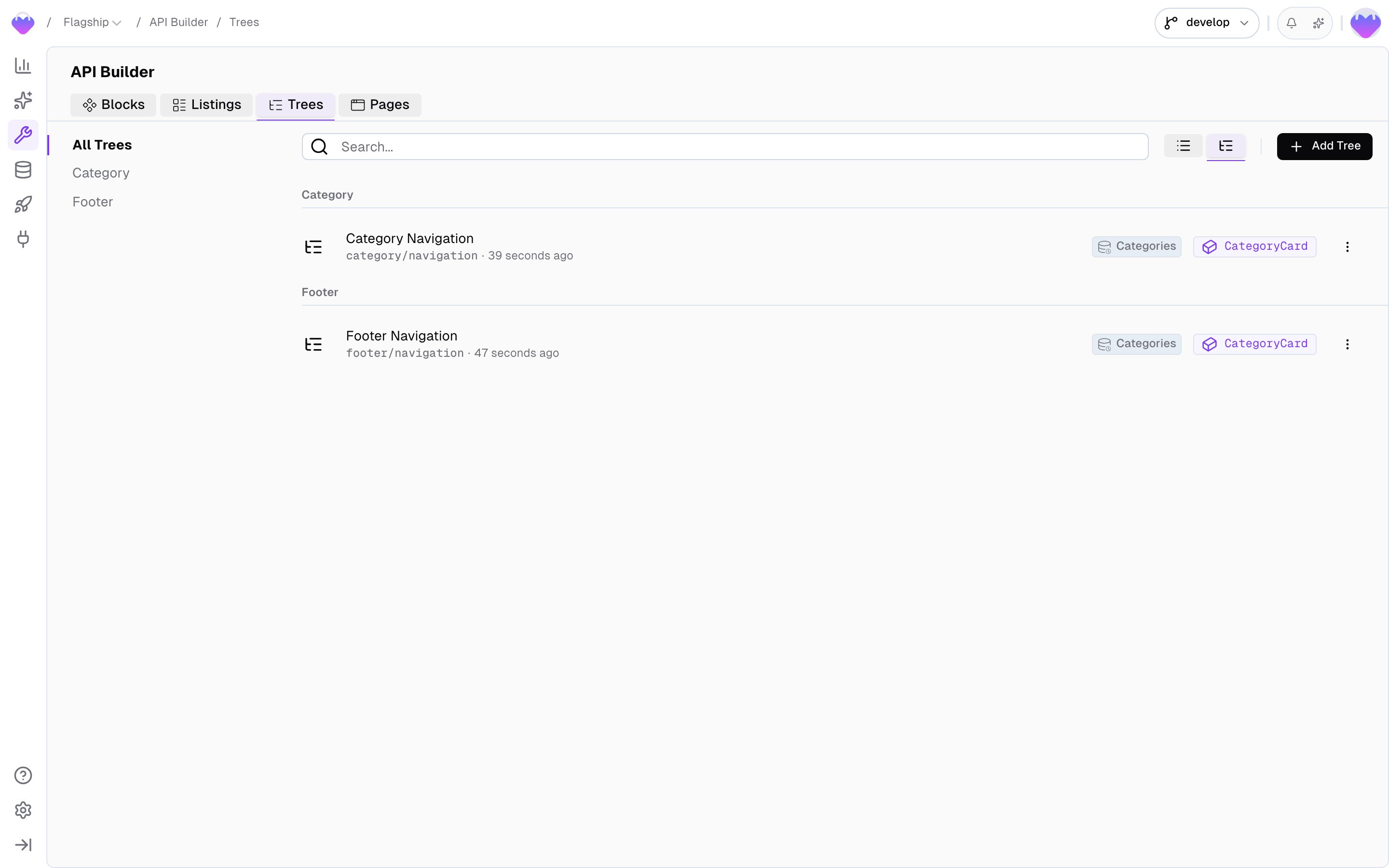
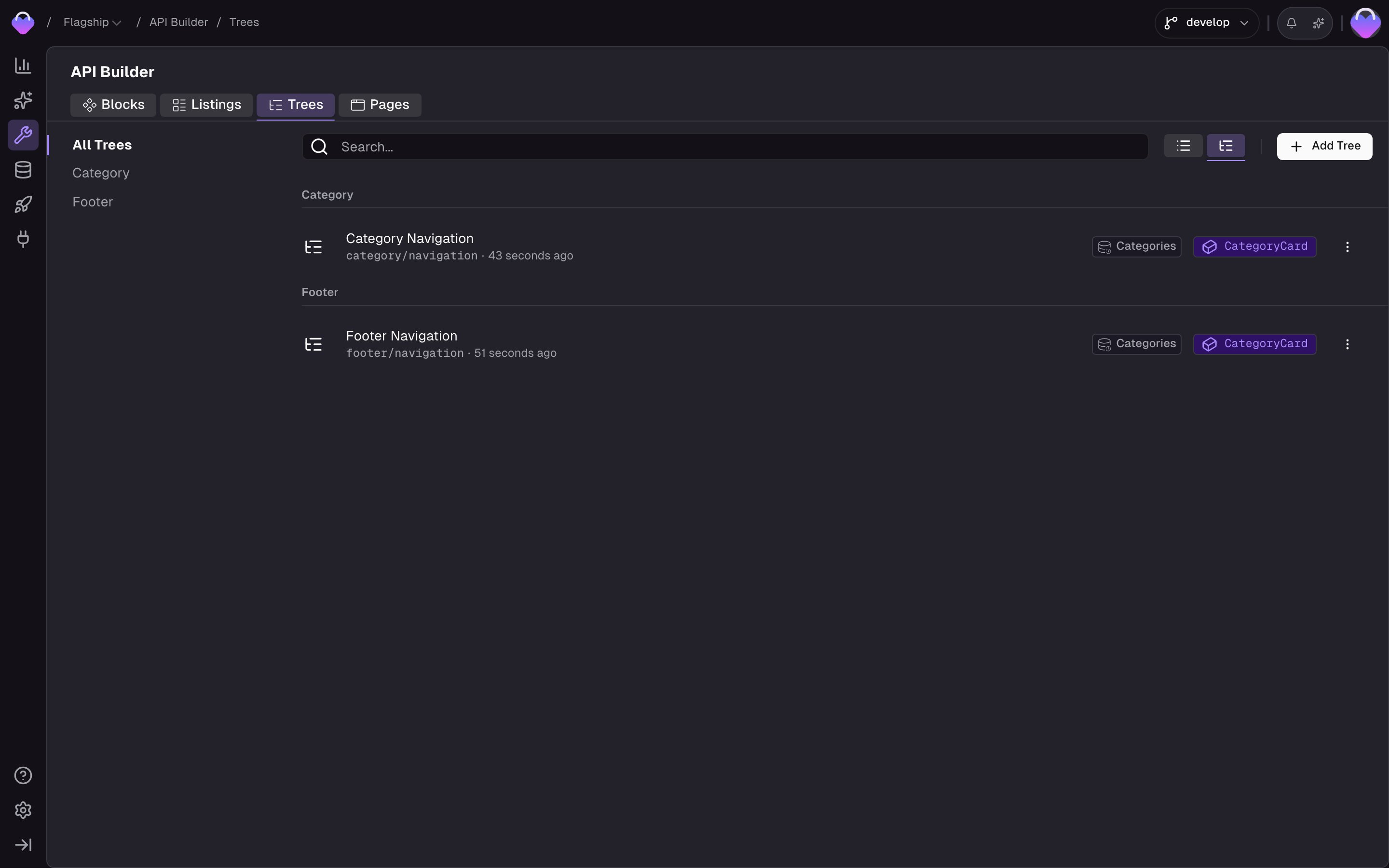
Manage your trees in the [API Builder](https://app.frontic.com/builder/trees) section of the admin app.
 ## How it works
A Menu Tree has two sides: how records connect into a hierarchy, and what each node looks like when it comes back.
### Structure
A Menu Tree reads records from a [Data Storage](/data-integration/data-storages) and assembles them into a tree using two default fields:
* **`parentKey`** — links each record to its parent node.
* **`position`** — numeric sort order among siblings. Always present on storages used by a Menu Tree.
### Node shape
One [Detail Block](/api-builder/blocks) defines the node shape for the whole tree. Every record returned — the root, every child, every grandchild, all the way down to the leaves — is rendered through that same block, so the payload stays consistent at any depth. On top of that, Frontic attaches a single tree-level property, `$items`, to each node to carry its subtree. Everything else on a node comes straight from the block you picked.
Menu Trees don't hold their own data — they read records from a [Data Storage](/data-integration/data-storages) and render each node through a [Detail Block](/api-builder/blocks). Make sure the block you want to serve already exists and is connected to the storage before creating a tree.
## Create a tree
Head to the [API Builder](https://app.frontic.com/builder/trees) and click ** Add Tree**.
## How it works
A Menu Tree has two sides: how records connect into a hierarchy, and what each node looks like when it comes back.
### Structure
A Menu Tree reads records from a [Data Storage](/data-integration/data-storages) and assembles them into a tree using two default fields:
* **`parentKey`** — links each record to its parent node.
* **`position`** — numeric sort order among siblings. Always present on storages used by a Menu Tree.
### Node shape
One [Detail Block](/api-builder/blocks) defines the node shape for the whole tree. Every record returned — the root, every child, every grandchild, all the way down to the leaves — is rendered through that same block, so the payload stays consistent at any depth. On top of that, Frontic attaches a single tree-level property, `$items`, to each node to carry its subtree. Everything else on a node comes straight from the block you picked.
Menu Trees don't hold their own data — they read records from a [Data Storage](/data-integration/data-storages) and render each node through a [Detail Block](/api-builder/blocks). Make sure the block you want to serve already exists and is connected to the storage before creating a tree.
## Create a tree
Head to the [API Builder](https://app.frontic.com/builder/trees) and click ** Add Tree**.
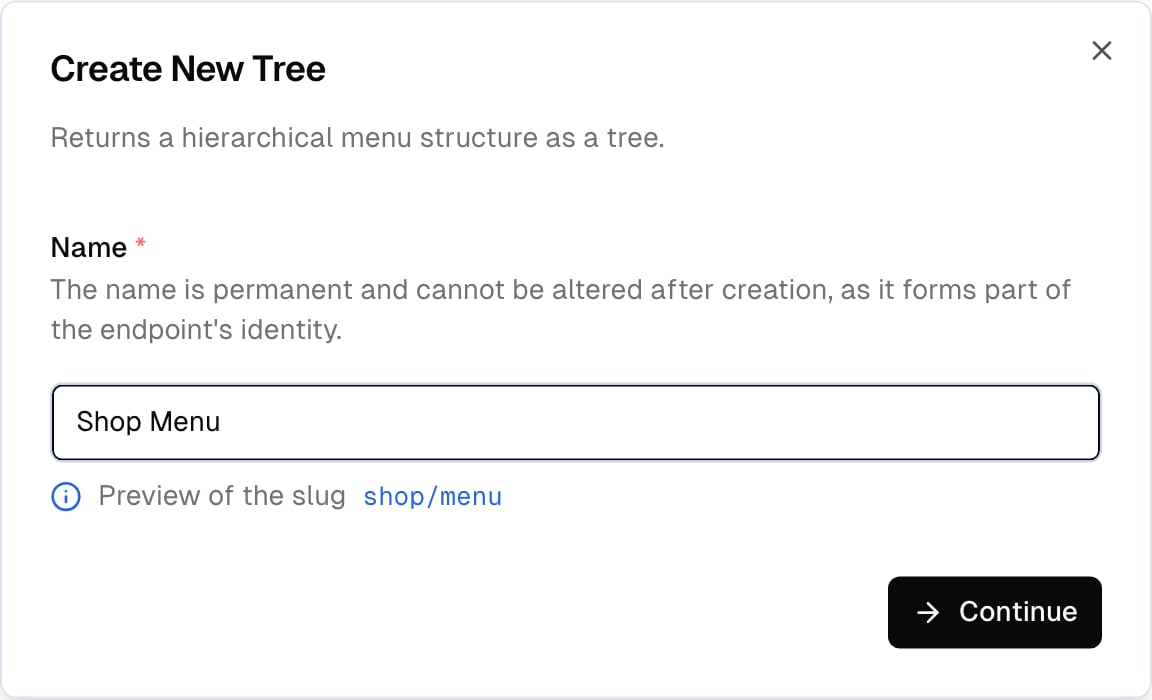
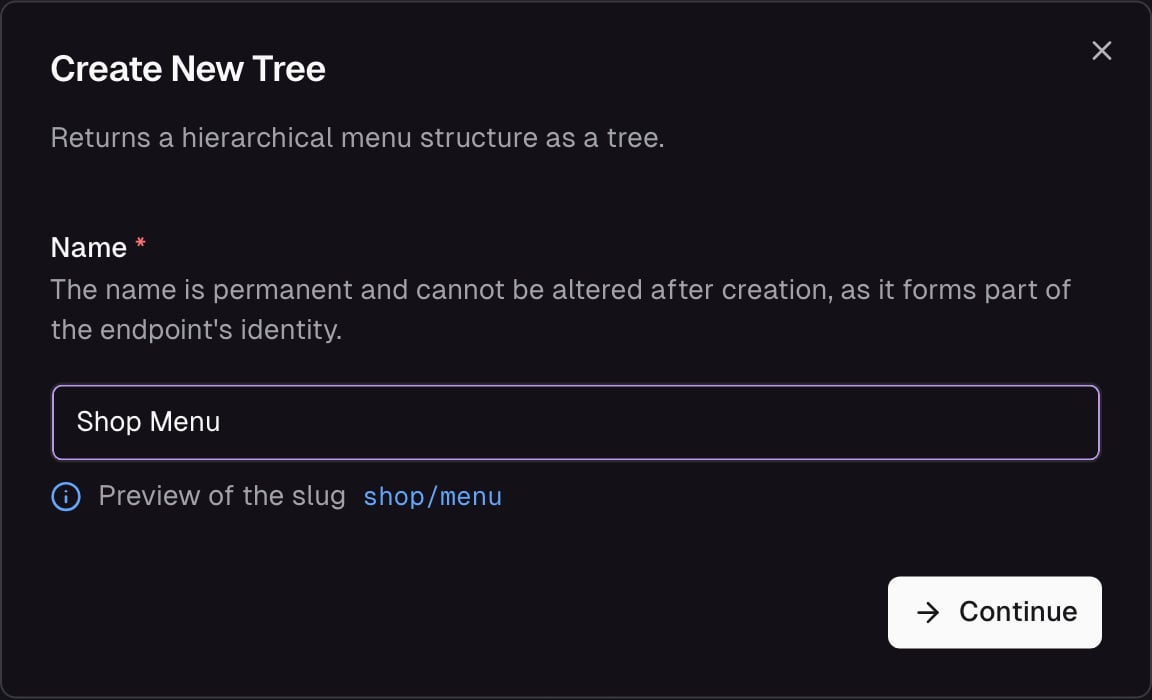 Give the tree a name using capitalized words with spaces — `Shop Menu`, `Footer Navigation`, `Support Links`. Frontic derives the endpoint slug (e.g. `shop/menu`) and the SDK type name from this value, so the name is permanent. Click **Continue** to land in the tree builder, where you pick:
* **Storage** — which Data Storage the nodes come from
* **Node block** — the Detail Block that shapes each node's response
### Query
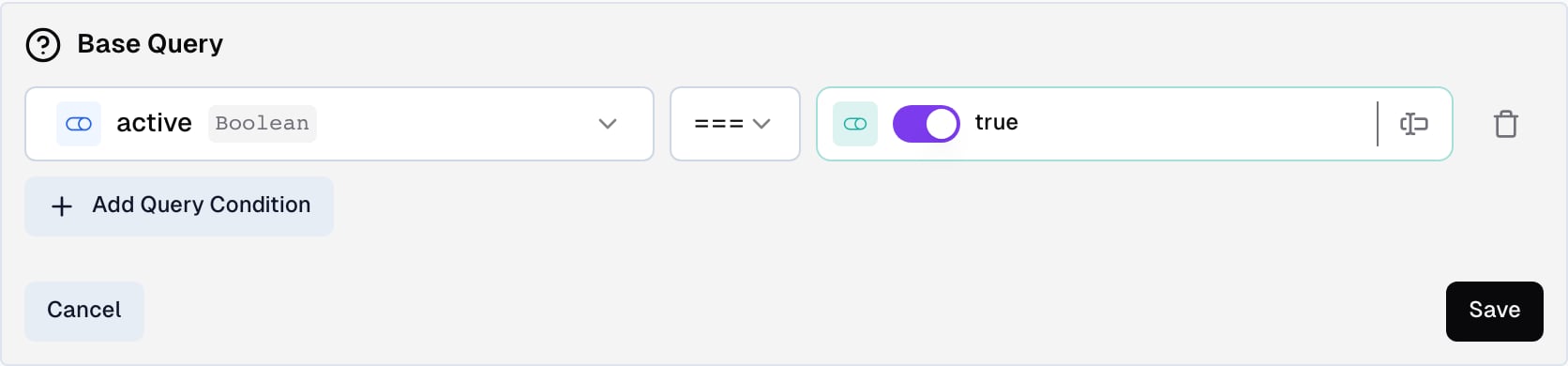
In the **Query** tab, you can configure a pre-defined query that always applies to the tree — every request runs through these conditions. Use it to scope the tree to a subset of records (e.g. only active categories, only categories with a specific attribute).
Each condition has three parts:
* **Field** — a storage field or [block field](/api-builder/blocks) to match against. The value input adapts to the field's type, so booleans, numbers, strings, and enums all get the right widget.
* **Operator** — how to compare. Available operators:
* `equals` / `notEquals` — exact match. Works on both string and array fields — on arrays, Frontic turns it into an "includes" check under the hood. This is the operator to use when matching against a field that holds a list of values (e.g. category IDs).
* `like` / `notLike` — partial match (contains)
* `gt` / `gte` / `lt` / `lte` — numeric comparisons
* **Value** — a static value to compare against a fixed value. The widget matches the field type: a switch for booleans, a number input for integers and floats, a dropdown for enums, a text input for everything else.
Changing the field afterwards clears the value and resets the operator, so a condition can't end up with a value type that doesn't match the field.
You can add multiple conditions and choose whether records must match **all** of them or **any** of them.
Give the tree a name using capitalized words with spaces — `Shop Menu`, `Footer Navigation`, `Support Links`. Frontic derives the endpoint slug (e.g. `shop/menu`) and the SDK type name from this value, so the name is permanent. Click **Continue** to land in the tree builder, where you pick:
* **Storage** — which Data Storage the nodes come from
* **Node block** — the Detail Block that shapes each node's response
### Query
In the **Query** tab, you can configure a pre-defined query that always applies to the tree — every request runs through these conditions. Use it to scope the tree to a subset of records (e.g. only active categories, only categories with a specific attribute).
Each condition has three parts:
* **Field** — a storage field or [block field](/api-builder/blocks) to match against. The value input adapts to the field's type, so booleans, numbers, strings, and enums all get the right widget.
* **Operator** — how to compare. Available operators:
* `equals` / `notEquals` — exact match. Works on both string and array fields — on arrays, Frontic turns it into an "includes" check under the hood. This is the operator to use when matching against a field that holds a list of values (e.g. category IDs).
* `like` / `notLike` — partial match (contains)
* `gt` / `gte` / `lt` / `lte` — numeric comparisons
* **Value** — a static value to compare against a fixed value. The widget matches the field type: a switch for booleans, a number input for integers and floats, a dropdown for enums, a text input for everything else.
Changing the field afterwards clears the value and resets the operator, so a condition can't end up with a value type that doesn't match the field.
You can add multiple conditions and choose whether records must match **all** of them or **any** of them.
 ## Fetch a tree
```ts theme={"theme":"css-variables"}
// Full tree
const tree = await client.tree("CategoryNavigation");
// Subtree from a specific node, 2 levels deep
const tree = await client.tree("CategoryNavigation", {
key: "shop",
depth: 2,
});
```
```vue theme={"theme":"css-variables"}
```
### Parameters
Optional starting point. When provided, `items` contains a single entry — the node with this key, plus its descendants. Without a key, `items` contains every root-level node (records with no parent).
Optional level limit. Controls how many levels of `$items` are included in the response.
## Response
```json theme={"theme":"css-variables"}
{
"items": [
{
"key": "shop",
"name": "Shop",
"link": {
"slug": "shop",
"path": "/en/shop",
"url": "www.demo-shop.com/en/shop",
"href": "https://www.demo-shop.com/en/shop"
},
"$items": [
{
"key": "women",
"name": "Women",
"link": {
"slug": "shop/women",
"path": "/en/shop/women",
"url": "www.demo-shop.com/en/shop/women",
"href": "https://www.demo-shop.com/en/shop/women"
},
"$items": [ /* ... */ ]
},
{
"key": "men",
"name": "Men",
"link": { "slug": "shop/men", "path": "/en/shop/men", "href": "https://www.demo-shop.com/en/shop/men" },
"$items": [ /* ... */ ]
}
]
}
]
}
```
The top-level `items` always contains every root-level node (records with no parent). When you call with a `key`, `items` still contains a list — but with just that single matching node — kept as an array for shape consistency.
Each node's shape (beyond `key` and `$items`) is defined by the Detail Block you selected. In this example, the block carries a [Route field](/api-builder/blocks#route) named `link` that resolves to each node's Page URL in the caller's locale and region.
Field names starting with `$` are reserved. You cannot use them in your Data Storage schemas — Frontic uses the `$` prefix for tree-level metadata like `$items`.
## API Playground
Preview — the API Playground is in early access. It runs against your live backend today, but the UI and feature set are still settling before general availability. [Reach out](mailto:support@frontic.com) if you want to try it.
Open the playground from any tree's detail page to fetch the tree against real data without writing code. Pick a starting `key`, set a `depth`, pick a release stage, set the request context, and hit **Send** — the resolved subtree appears side by side with your request.
## Fetch a tree
```ts theme={"theme":"css-variables"}
// Full tree
const tree = await client.tree("CategoryNavigation");
// Subtree from a specific node, 2 levels deep
const tree = await client.tree("CategoryNavigation", {
key: "shop",
depth: 2,
});
```
```vue theme={"theme":"css-variables"}
```
### Parameters
Optional starting point. When provided, `items` contains a single entry — the node with this key, plus its descendants. Without a key, `items` contains every root-level node (records with no parent).
Optional level limit. Controls how many levels of `$items` are included in the response.
## Response
```json theme={"theme":"css-variables"}
{
"items": [
{
"key": "shop",
"name": "Shop",
"link": {
"slug": "shop",
"path": "/en/shop",
"url": "www.demo-shop.com/en/shop",
"href": "https://www.demo-shop.com/en/shop"
},
"$items": [
{
"key": "women",
"name": "Women",
"link": {
"slug": "shop/women",
"path": "/en/shop/women",
"url": "www.demo-shop.com/en/shop/women",
"href": "https://www.demo-shop.com/en/shop/women"
},
"$items": [ /* ... */ ]
},
{
"key": "men",
"name": "Men",
"link": { "slug": "shop/men", "path": "/en/shop/men", "href": "https://www.demo-shop.com/en/shop/men" },
"$items": [ /* ... */ ]
}
]
}
]
}
```
The top-level `items` always contains every root-level node (records with no parent). When you call with a `key`, `items` still contains a list — but with just that single matching node — kept as an array for shape consistency.
Each node's shape (beyond `key` and `$items`) is defined by the Detail Block you selected. In this example, the block carries a [Route field](/api-builder/blocks#route) named `link` that resolves to each node's Page URL in the caller's locale and region.
Field names starting with `$` are reserved. You cannot use them in your Data Storage schemas — Frontic uses the `$` prefix for tree-level metadata like `$items`.
## API Playground
Preview — the API Playground is in early access. It runs against your live backend today, but the UI and feature set are still settling before general availability. [Reach out](mailto:support@frontic.com) if you want to try it.
Open the playground from any tree's detail page to fetch the tree against real data without writing code. Pick a starting `key`, set a `depth`, pick a release stage, set the request context, and hit **Send** — the resolved subtree appears side by side with your request.
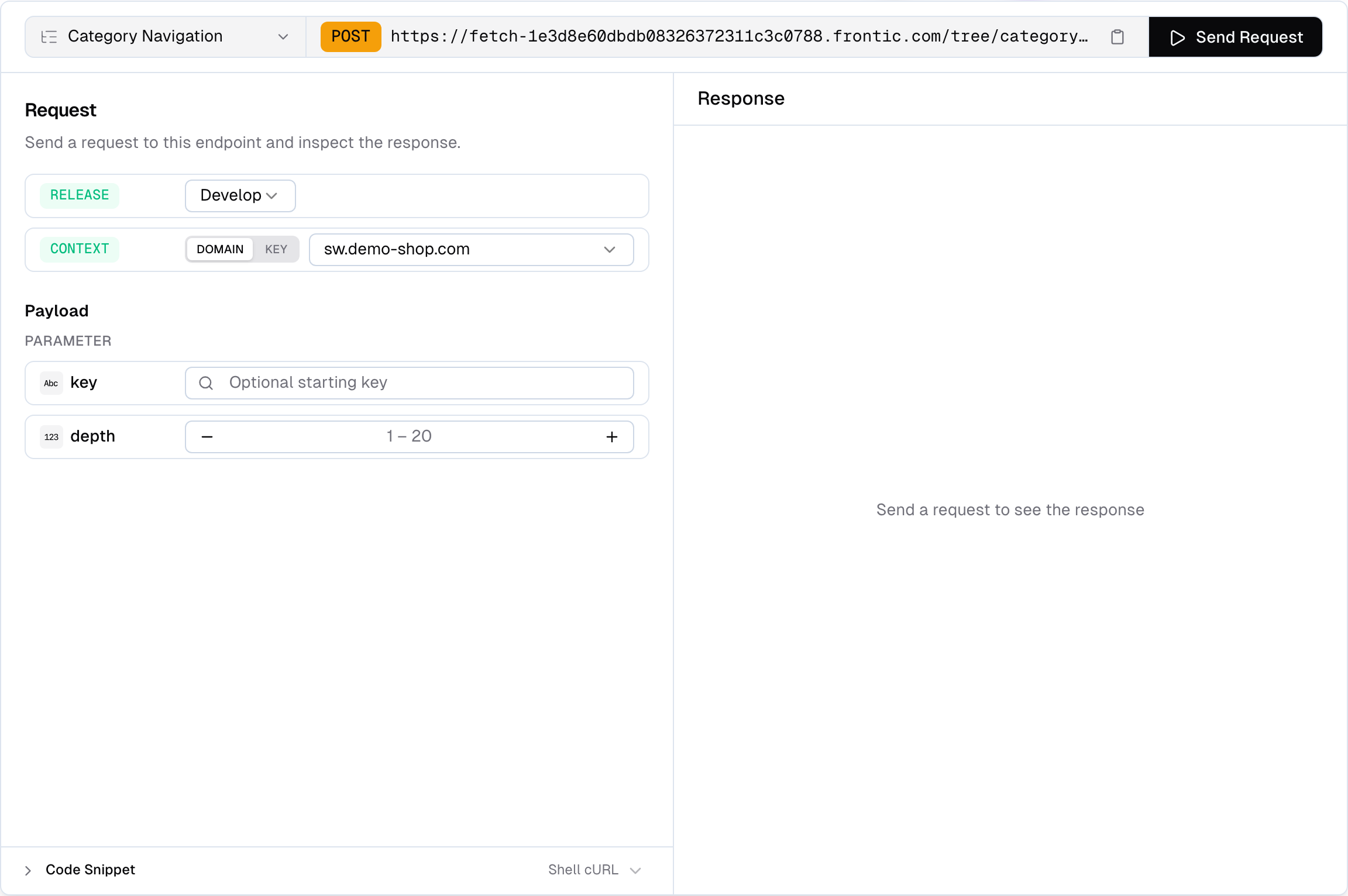
 Use the playground to:
* **Resolve a subtree** — pick a starting key and depth to scope the response to the slice you actually care about
* **Pick a release stage** — run the request against `develop`, `preview`, or `public`. Preview and public only appear when those environments exist on the project
* **Switch context** — pick **Domain** to send a `contextDomain` and let Frontic resolve the matching context, or **Key** to send an explicit `contextKey`
* **Inspect the response** — status, response time, and payload size are shown alongside the body so you can spot performance issues
* **Copy code snippets** — auto-generated from your current configuration, ready to paste into your project
## Limits
A single Menu Tree response is capped at **1,000 nodes total**. Frontic resolves the tree level by level — if an entire level doesn't fit within the remaining budget, the whole level is omitted (partial levels are never returned) and a warning is included in the response header.
For large hierarchies, pass a `key` and `depth` to fetch the subtree you actually need instead of the whole structure.
## Related
Shape each node's response.
Where tree records live, with `parentKey` and `position` as default fields.
The link target each menu node points at via the Route field.
Use the playground to:
* **Resolve a subtree** — pick a starting key and depth to scope the response to the slice you actually care about
* **Pick a release stage** — run the request against `develop`, `preview`, or `public`. Preview and public only appear when those environments exist on the project
* **Switch context** — pick **Domain** to send a `contextDomain` and let Frontic resolve the matching context, or **Key** to send an explicit `contextKey`
* **Inspect the response** — status, response time, and payload size are shown alongside the body so you can spot performance issues
* **Copy code snippets** — auto-generated from your current configuration, ready to paste into your project
## Limits
A single Menu Tree response is capped at **1,000 nodes total**. Frontic resolves the tree level by level — if an entire level doesn't fit within the remaining budget, the whole level is omitted (partial levels are never returned) and a warning is included in the response header.
For large hierarchies, pass a `key` and `depth` to fetch the subtree you actually need instead of the whole structure.
## Related
Shape each node's response.
Where tree records live, with `parentKey` and `position` as default fields.
The link target each menu node points at via the Route field.